Email workflow automation. Answer new leads at once. Win back quiet contacts.
New leads come in through a form, quote calculator or assessment you build here. Import your existing contacts or add them by hand, and use any column in your list to decide who gets which sequence. Workflow steps also set each contact’s stage and owner in the involve.me CRM.
No credit card needed.


Trusted by 4,500+ businesses


Follow-up built on each lead’s score and quote
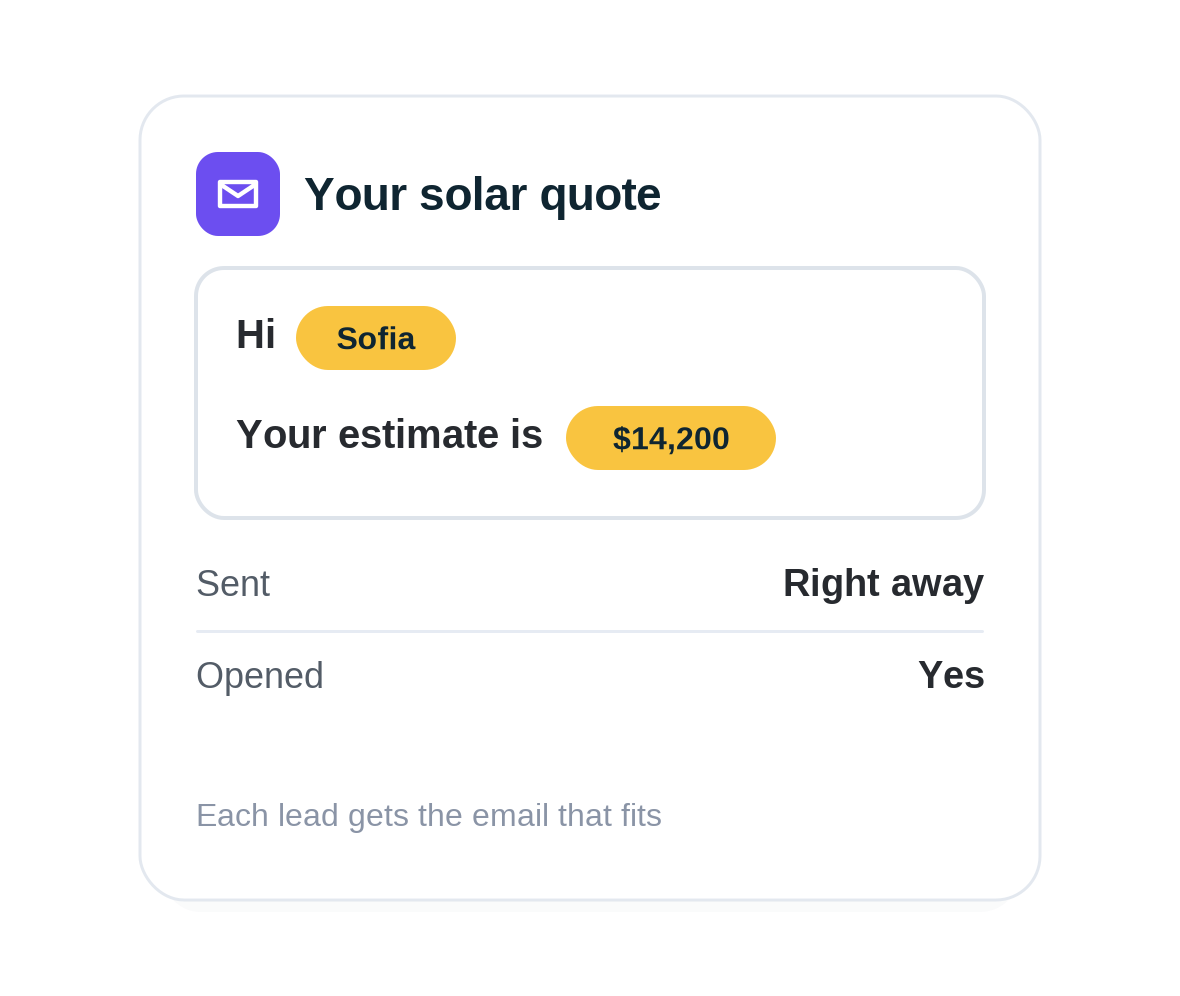
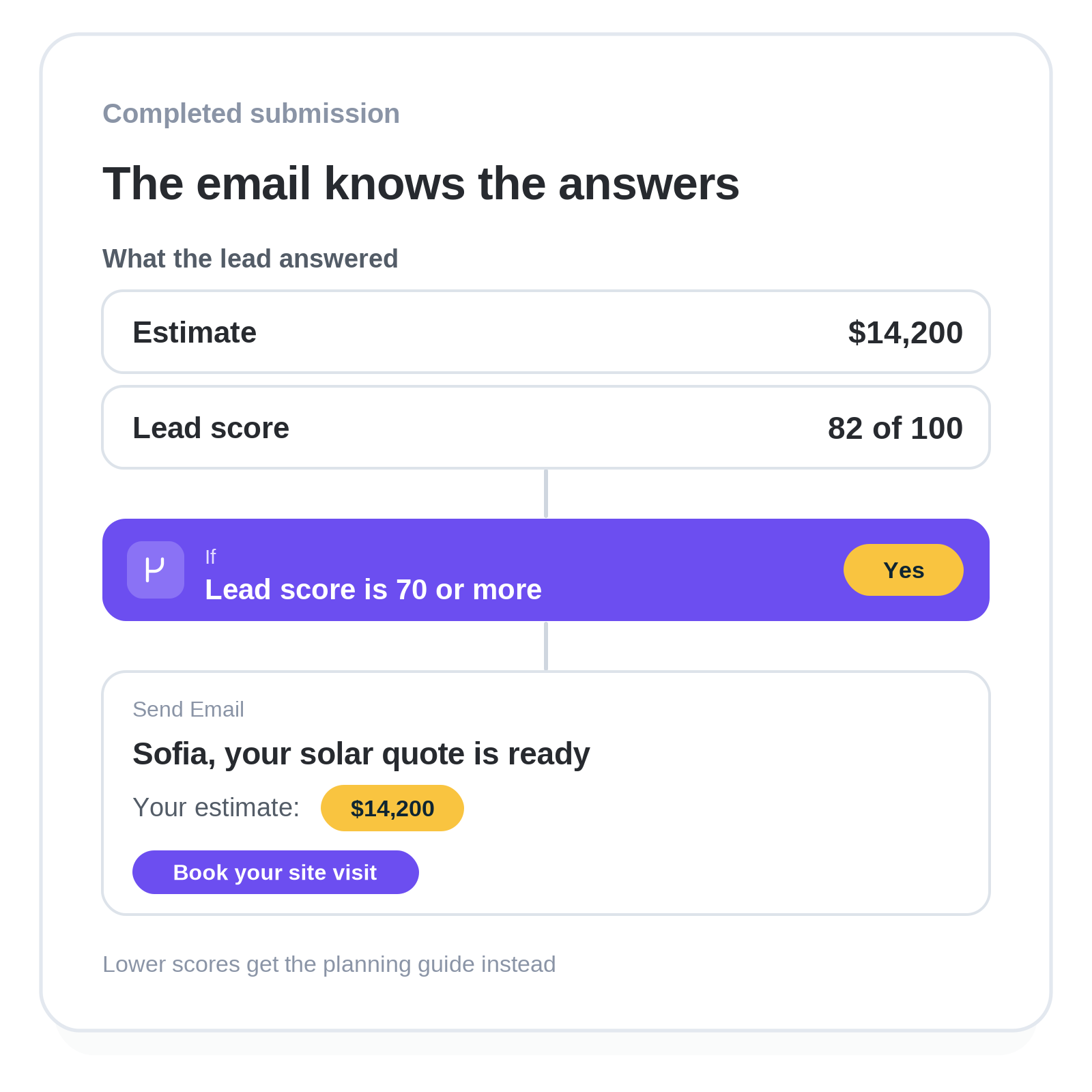
A quote request or an assessment tells you what a lead needs. The workflow reads the answers, the score and the result before it sends anything.
High scorers get your booking link, the rest get a guide
The quote, the result and any answer go into the email
Start with funnels that score and qualify leads
Automated lead follow-up from the first minute
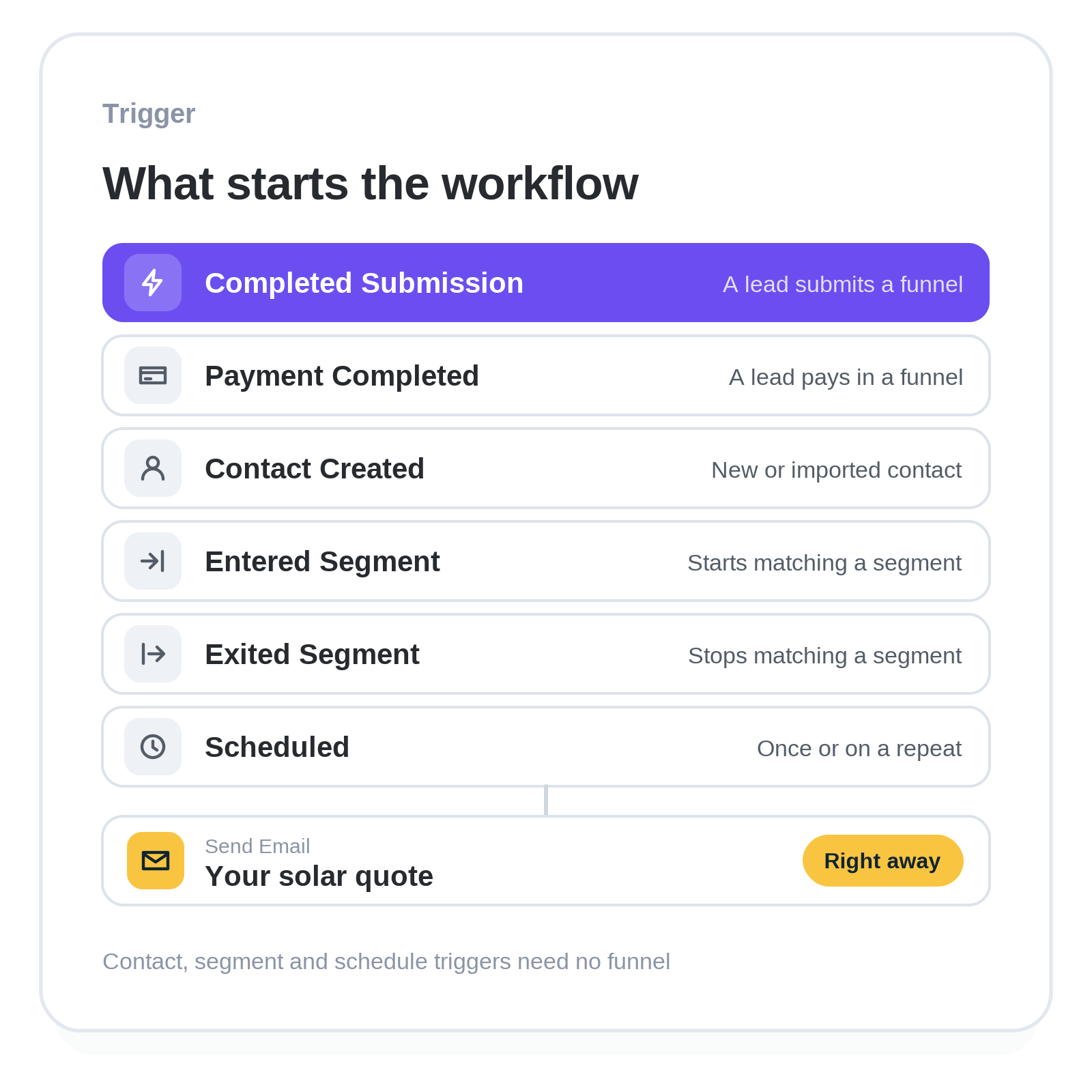
Each workflow starts on one of six triggers: the moment something happens to a lead or contact, or on a schedule.
A lead completes a funnel
A lead makes a payment
A contact is created, by a funnel or an import
A contact enters a segment
A contact leaves a segment
On a schedule for a segment, once or repeating
Start a win-back sequence for any segment you pick
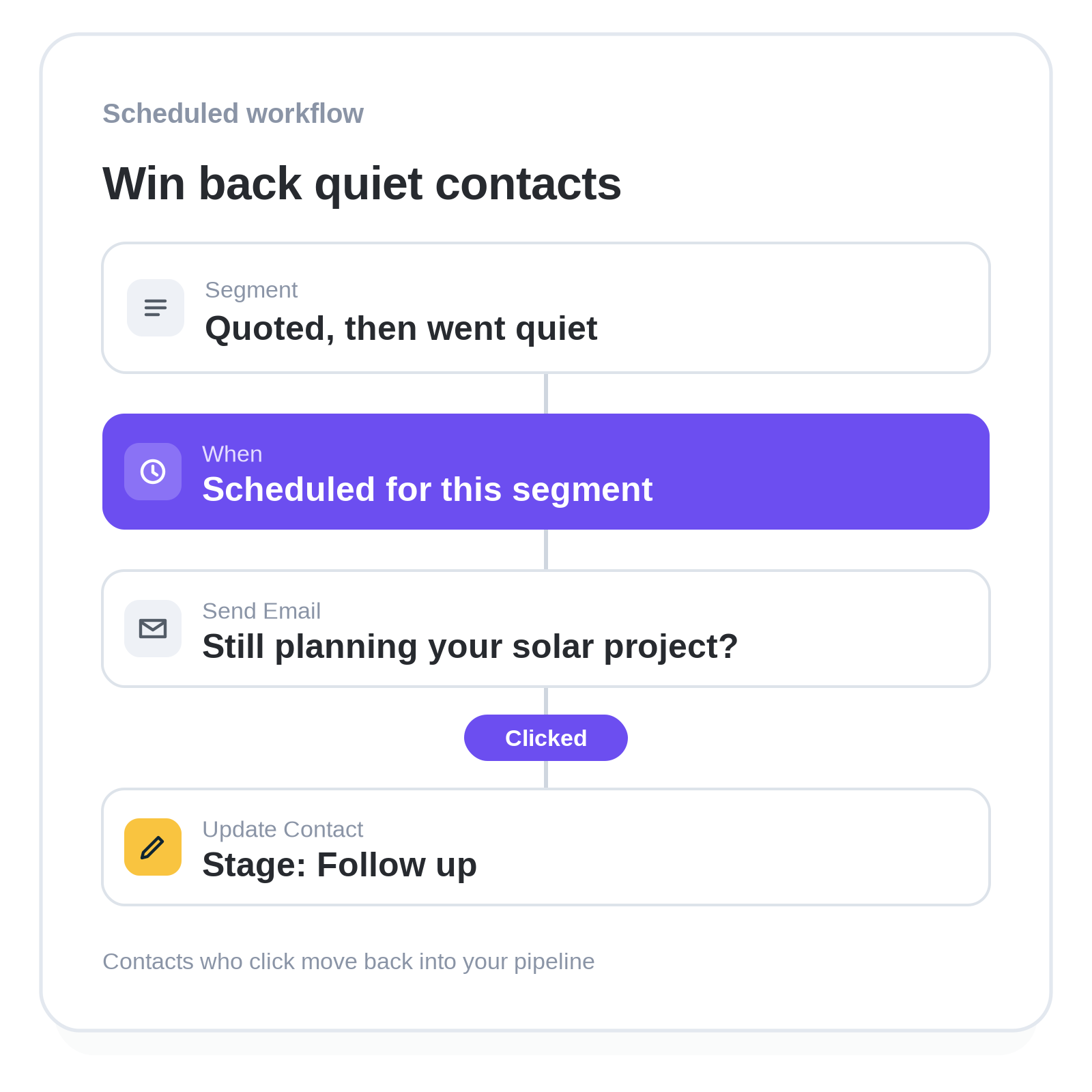
Old quotes and past clients stay in the CRM. Put the quiet ones in a segment, and a scheduled workflow emails them.
Pick contacts quoted before June, with a tag, or who didn’t open an email
Email them a link to your quote calculator or assessment
Move the contacts who click to an active pipeline stage again
Steps that send email, update the CRM and set the path
The canvas is built for journeys that go beyond a single confirmation email. Steps come in three kinds: they reach the lead or your team, update the contact in the CRM, or set the timing and the path.
Send Email
Personalized subject and body. Block editor with images, buttons, tables and file links.
Invite to Funnel
Send contacts to another funnel, such as a feedback survey or a short qualification quiz.
Send Internal Email
Alert up to 5 people on your account by email the moment a qualified lead comes through.
Update Contact
Set or clear any contact property, including the pipeline stage, with values from a funnel.
Add/Remove Contact Tag
Add/remove a tag straight from a workflow, when a contact hits a step in the automation.
Change Assignee
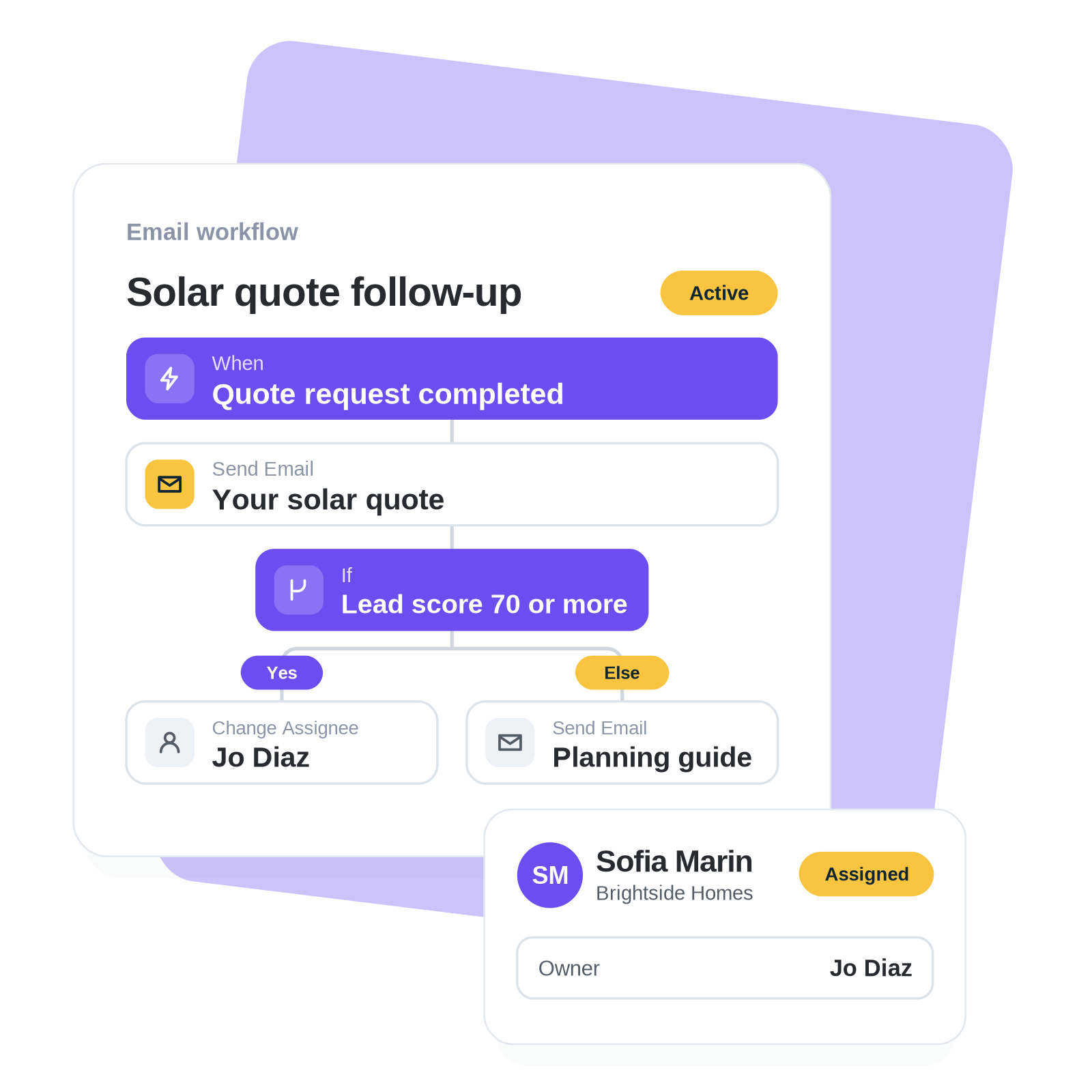
Give the lead an owner on the branch you choose. The contact list then filters by owner.
Wait
Pause for a set time, until a date or weekday, or until the contact completes another funnel.
Conditional Logic
Branch on answers and scores, contact data and segments, and email opens and clicks.
A/B Test
Randomly split contacts between two paths, by a share you set, to test content or timing.
Follow-up emails, drafted by AI
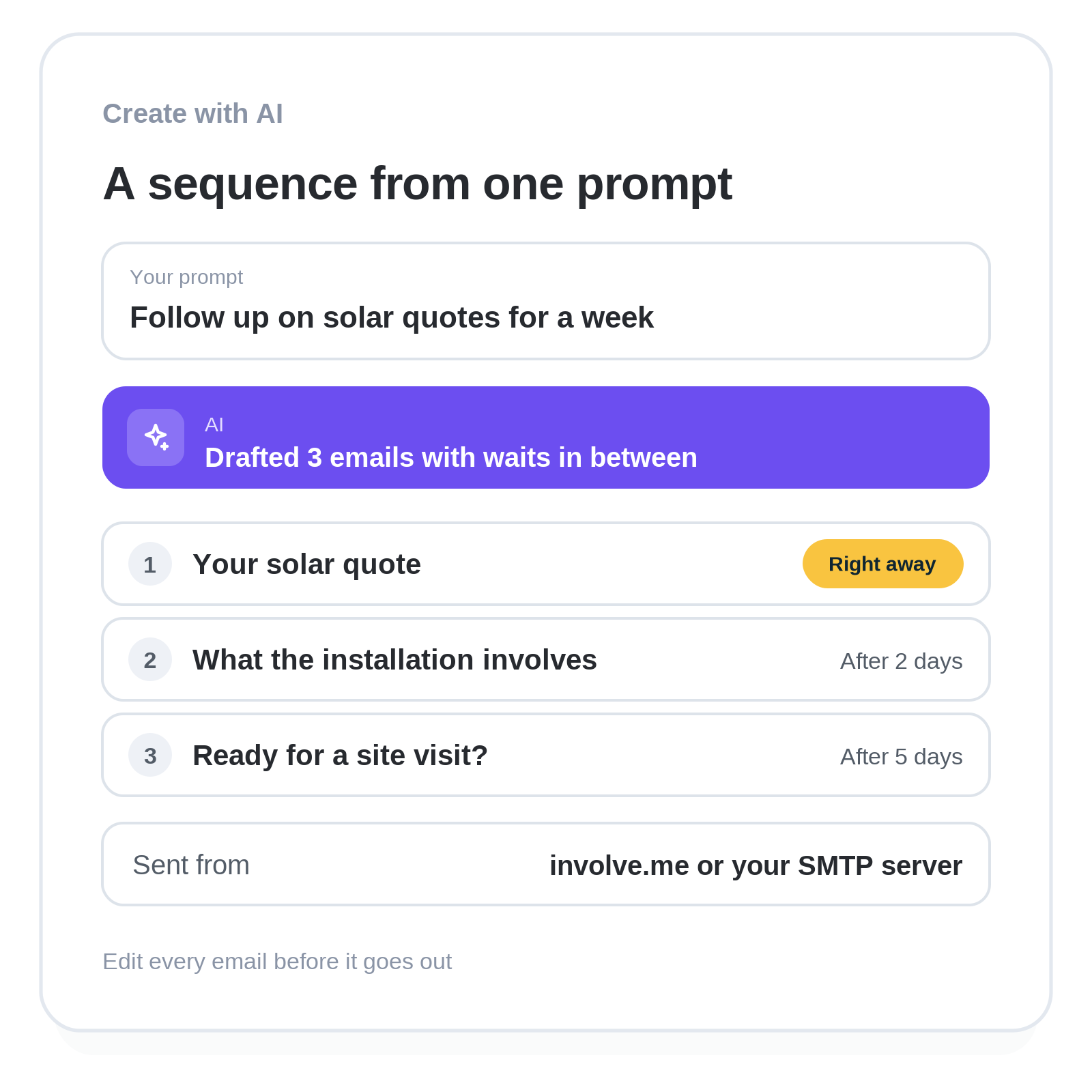
Most workflows are built around email. Assemble a multi-step sequence, personalize every message to the lead, and send it from involve.me, or from your own domain if you connect your SMTP server.
Personalize every email with contact data, plus answers and score when a funnel starts the run
If your funnel has outcomes, AI writes separate emails for each one
Every email has an opt-out link, and opted-out contacts are skipped
See what goes into automated email sequences →
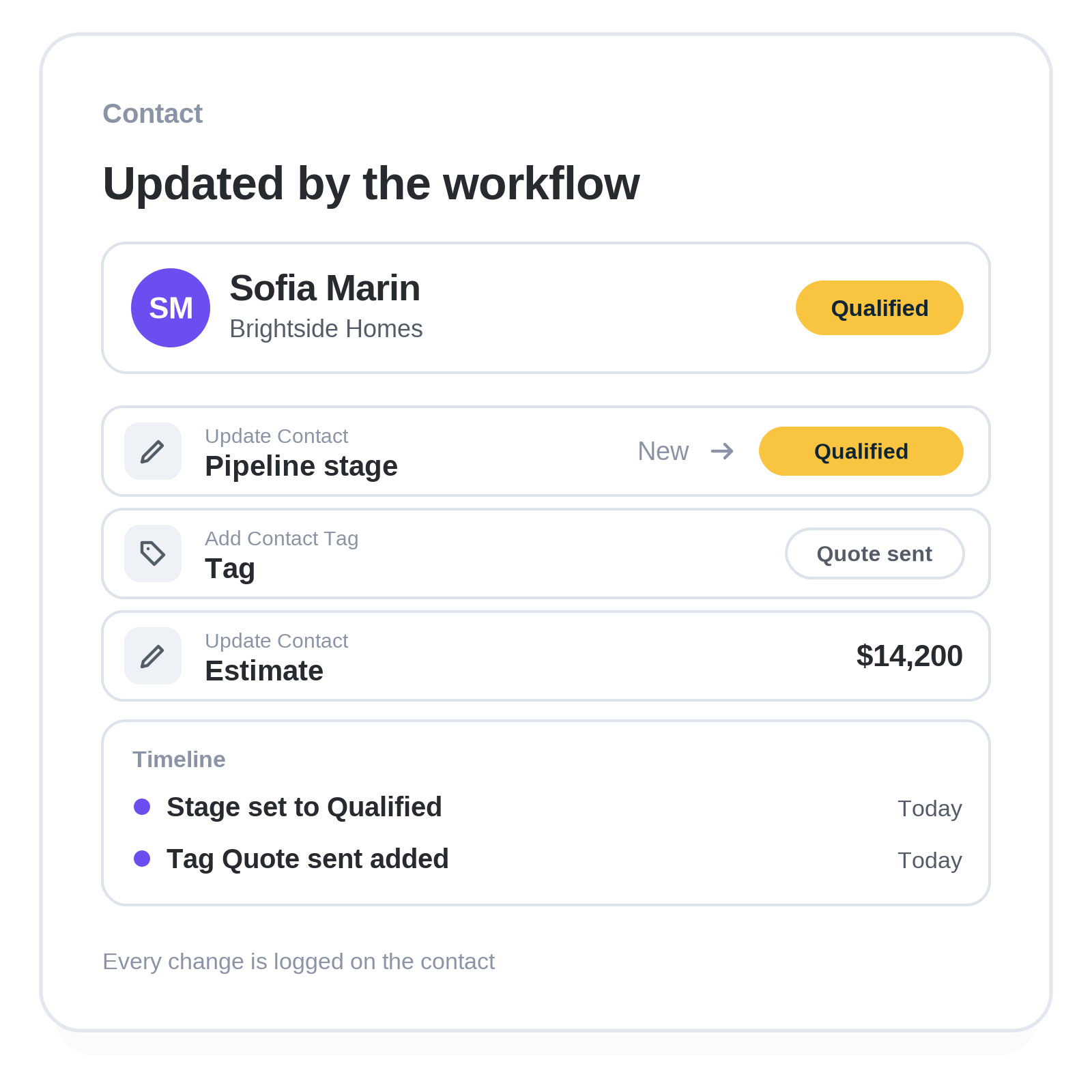
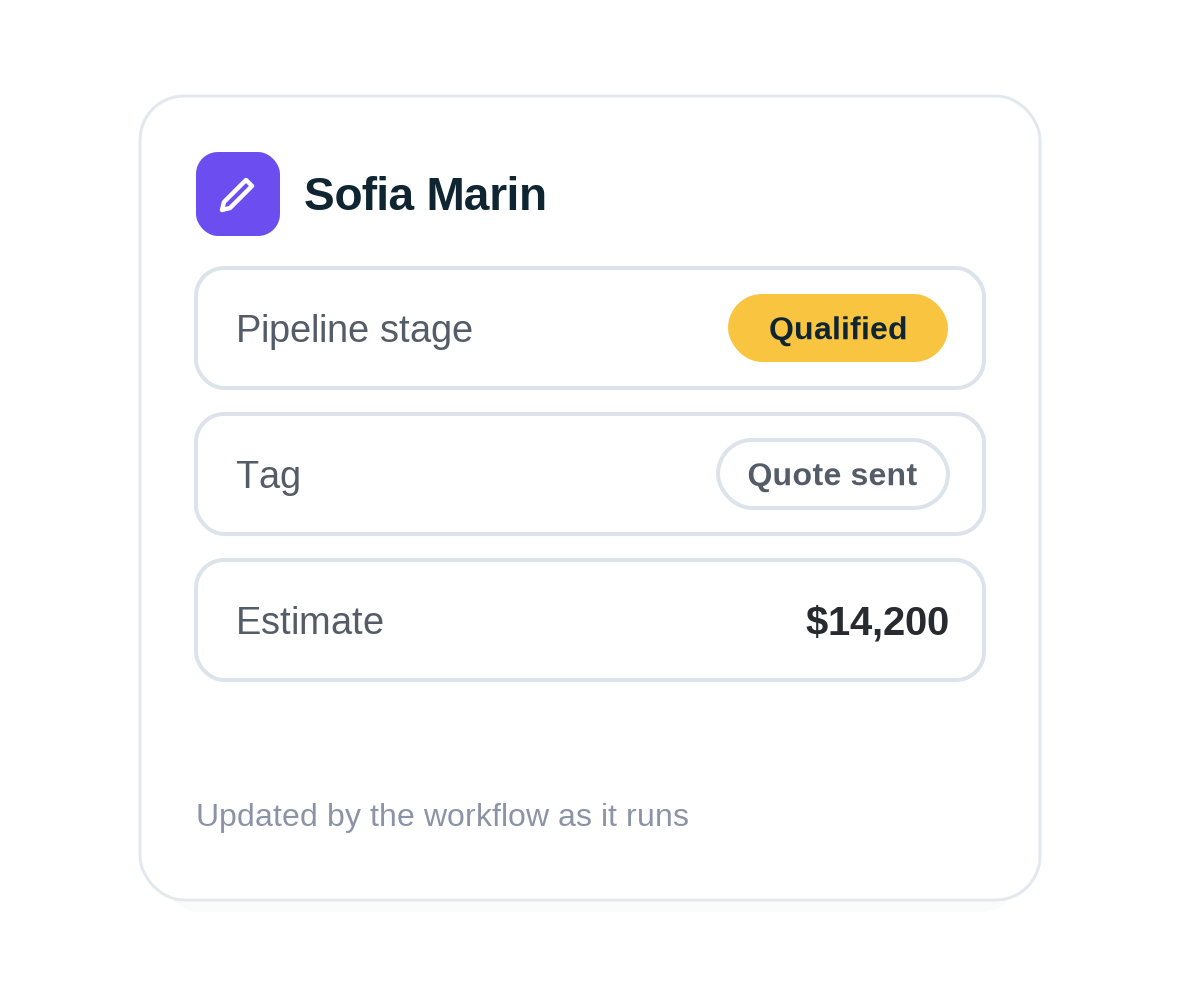
Workflows keep the CRM record up to date
Every lead with an email address is a contact in involve.me’s free CRM. A workflow reads that record when it starts and updates it as it runs.
Answers you save to the contact, like the budget, steer every later workflow
A workflow gives every new lead its pipeline stage the moment it arrives
When a lead joins a segment, the next condition in the workflow sees it
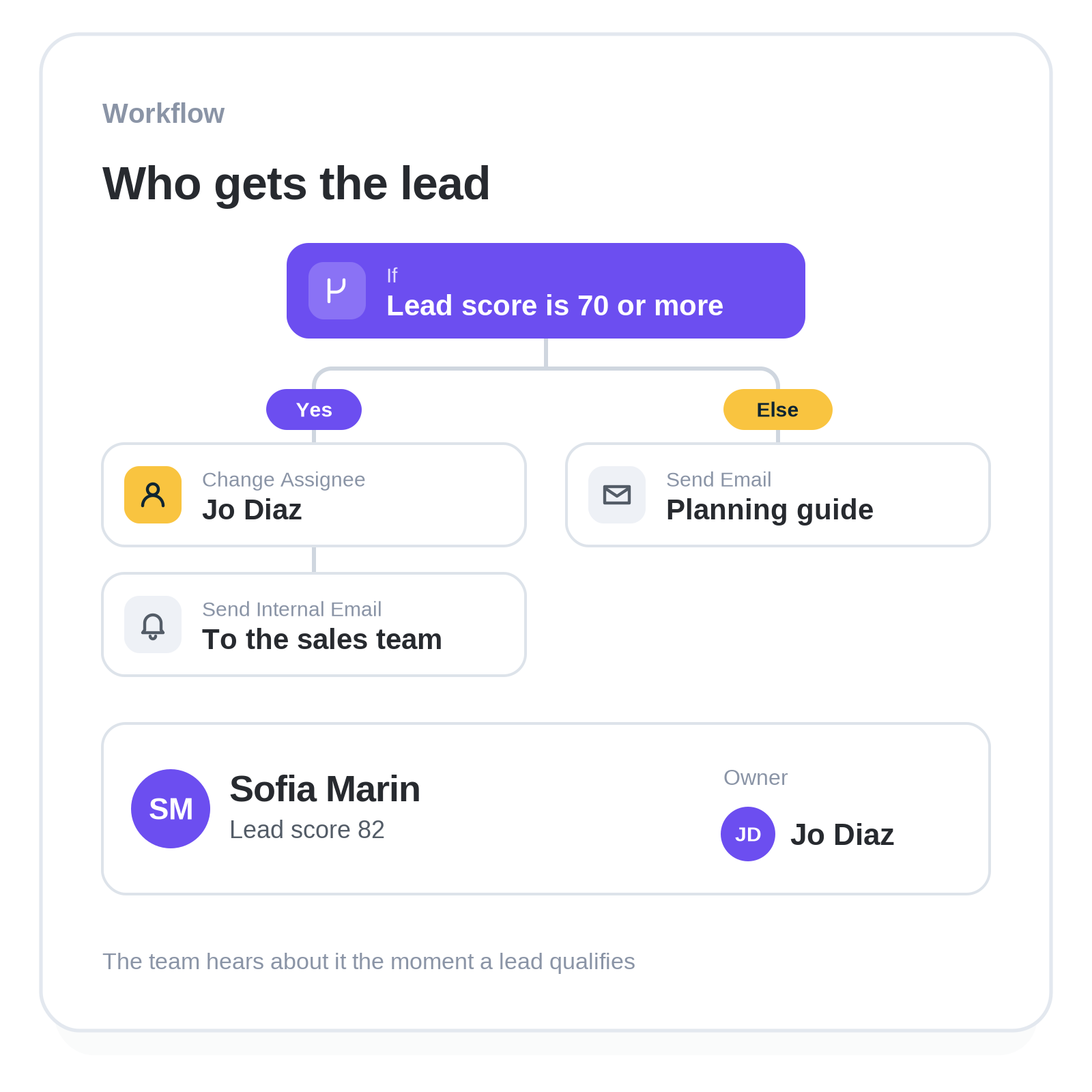
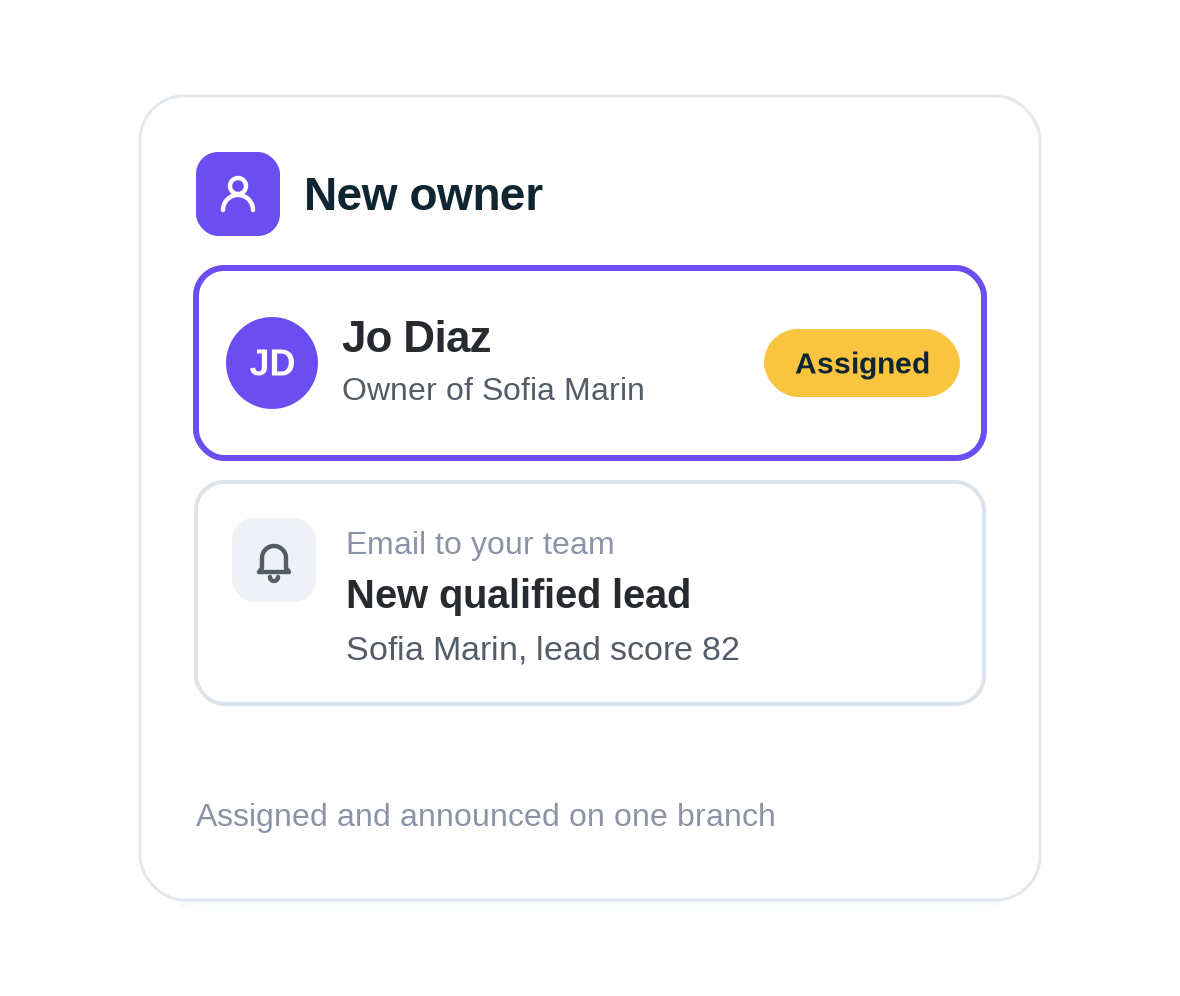
Assign hot leads to an owner and alert your team
When a lead is worth a call, the workflow says who takes it. Branch on score or answers, then set the owner on each branch.
Each branch sets the owner, and the contact list filters by owner
An email alert reaches up to 5 people on your account, the owner included
Email workflow templates to start from


-
Confirm the meeting with an email for the topic the lead booked, and tell them what to prepare.
-
Three tracks by the lead’s goal. Each thanks the lead for the download, sends tips once a day and offers a call in the fourth email.
-
Reinforce the recommended match over several days with benefit breakdowns and a clear call to action.
-
Ten days after a payment, ask for feedback; ten days later, invite the buyer to your loyalty program.
Email workflow templates to start from
Consultation booking follow-up
Confirm the meeting with an email for the topic the lead booked, and tell them what to prepare.
Lead magnet nurture series
Three tracks by the lead’s goal. Each thanks the lead for the download, sends tips once a day and offers a call in the fourth email.
Product recommendation offer drip
Reinforce the recommended match over several days with benefit breakdowns and a clear call to action.
Post-purchase follow-up sequence
Ten days after a payment, ask for feedback; ten days later, invite the buyer to your loyalty program.
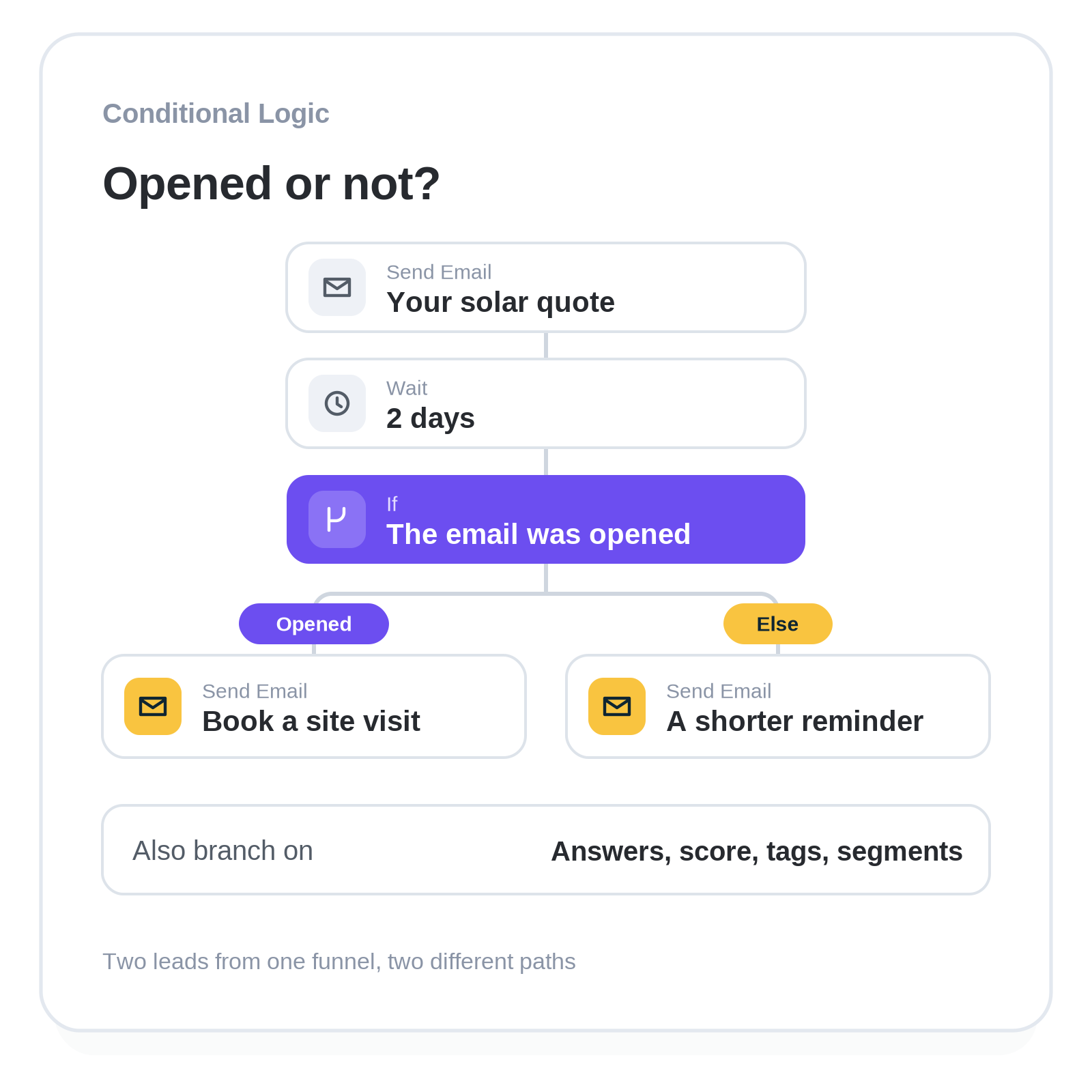
Split the path on any answer, property or click
A condition splits a workflow on what a lead answered, what you know about the contact and what they do with your emails.
Funnel data: answers, score, outcome, calculator results
Contact data: any property, tags, segments, opt-in status
Email engagement: opened, clicked, did not open, did not click
Funnel activity: the funnel that started the run, and whether the lead completed another funnel
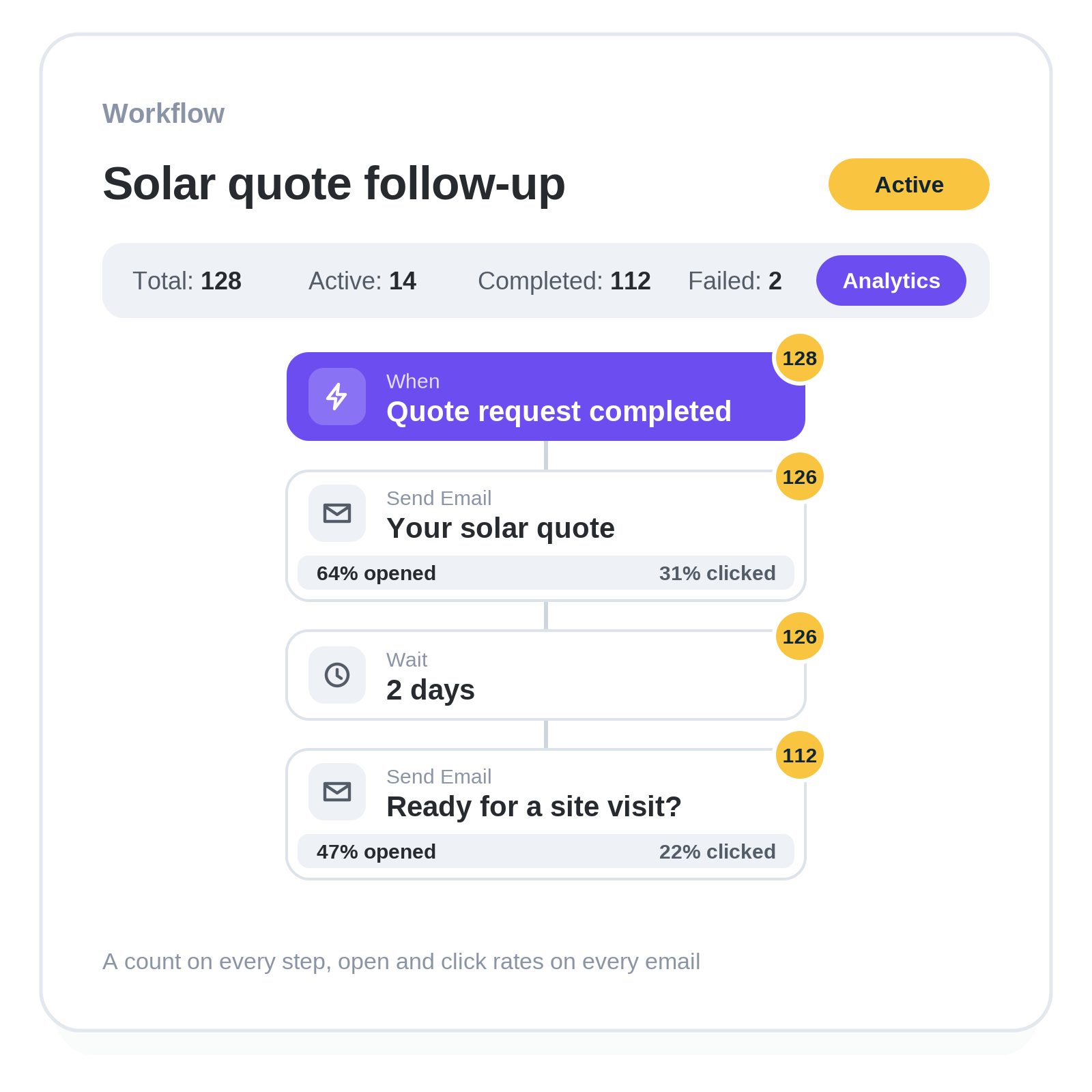
See exactly what each workflow is doing
Switch on analytics and the numbers appear on the workflow itself: total, active, completed and failed runs on top, a count on every step, open and click rates on every email.
The run list shows each recent run with its status and the exact error if one failed
The contact timeline shows each run, every email sent, opened and clicked, and every tag, stage and owner change a workflow made
Email workflows by industry
Built for high-ticket service businesses and high-consideration product businesses, where every qualified lead is worth hundreds or thousands of dollars.
Insurance agencies and brokers
A quote request sends the estimate at once. Leads above your premium threshold get an owner and a stage.
Financial advisors and planners
A retirement assessment emails each lead its result, then a short series. High scorers get your calendar.
Solar installers and dealers
A savings estimate goes out by email, a reminder follows after 3 days, and sales hears who clicks.
IT service providers
A security assessment emails the result, then one tip per gap. Company size decides who gets the lead.
Manufacturers and suppliers
A configurator request sends the price range, alerts your head of sales and follows up twice.
B2B software companies
An ROI calculator emails the business case. Trial and demo leads get different sequences.
What clients say about involve.me


SOC 2® Type II audited and GDPR-compliant by design


Email workflow automation FAQ
-
Email workflow automation sends each contact the right email at the right moment, on its own. A trigger starts the workflow, conditions pick the path, wait steps set the timing, and each step sends an email or updates the contact. In involve.me a workflow also reads what the lead answered and scored, sets its pipeline stage and assigns an owner.
-
An involve.me email workflow starts on a funnel submission, a completed payment, a new contact, a contact entering or leaving a segment, or a schedule. Only submissions and payments need a funnel, so workflows also run on contacts you import into the CRM. Each workflow follows up and keeps the CRM up to date on one canvas. Send Email, Wait and Invite to Funnel steps run the sequence, and Send Internal Email alerts your team. Update Contact moves the lead to a pipeline stage or changes any property, Add Contact Tag and Remove Contact Tag keep tags current, and Change Assignee hands the lead to a teammate. Conditional Logic branches on answers, scores, outcomes, contact data, tags, opens and clicks, A/B Test splits paths, and Exit ends the run. Every email shows its own open and click rates, and every email, tag, stage and assignee change lands on the contact’s timeline. AI drafts the whole sequence from a prompt.
-
The “Conditional Logic” step branches on answers, scores, outcomes, calculator results, contact properties, tags, segments, and email opens and clicks. A lead who clicks the booking link takes a different path than one who does not. Answers and scores are there when a funnel submission or payment starts the workflow.
-
No. A workflow also starts when a contact is created or imported, when a contact enters or leaves a segment, or on a schedule for a segment, so it follows up with contacts you already have in the CRM. Answers and scores come with leads from a funnel.
-
Yes, from Grow: it includes 2 users and Scale 5, and you can add seats from Grow (Start has one user). Add a “Conditional Logic” step, then a “Change Assignee” step on each branch: leads above your score go to one person, the rest to another. Owners are the account owner and admins, and each branch names one owner. Add a “Send Internal Email” step to alert them; alerts reach people on your account, or any address on Scale.
-
A drip campaign sends everyone the same emails on a fixed timetable. An email workflow does that too, and it changes course on what each lead answered and did with your emails, so two leads from the same funnel get different emails. Use it for drip emails, lead nurturing sequences and one-off follow-ups. For the emails themselves, see AI email sequences.
-
Yes. Use the “Scheduled” trigger to start a workflow on a date and time you pick, once or on a repeat (for example every week or month), for everyone in a segment. “Wait” steps can hold until a specific weekday or day of the month, and the “Exit” step can restart the workflow automatically so contacts go through the journey again. Use it to invite a segment to retake an assessment, for example the leads who scored low last quarter.
-
Yes. Integrations send each lead with its answers and score to the email platform you use, and your emails keep going out from there: Mailchimp from Start, and HubSpot, ActiveCampaign, Klaviyo and Brevo from Grow. See all 60+ integrations. Without an email platform, involve.me’s own email workflows cover the follow-up.
-
No. Email workflows are on paid plans: Start $29, Grow $69 and Scale $139 a month, billed yearly. On the free plan you can build a workflow and send yourself a preview; switching it on needs a paid plan. Every paid plan has all six triggers and every step, the “A/B Test” step included; alerts to addresses outside your account need Scale. Each plan includes emails every month for everything your account sends: 3,000 on Start, 10,000 on Grow and 30,000 on Scale, and more can be added. The CRM is free on every plan.